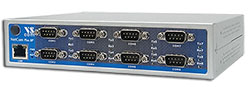
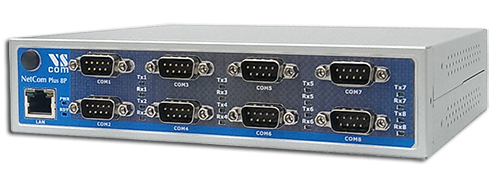
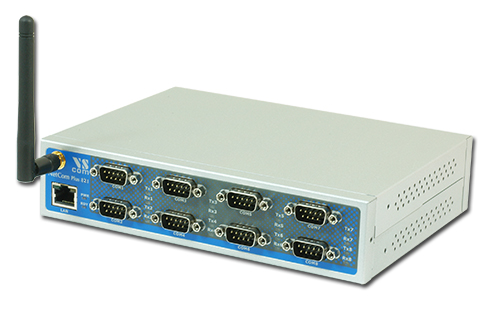
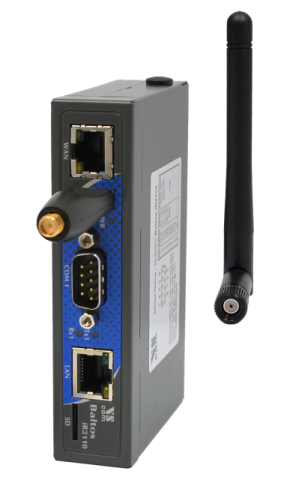
The Ethernet to Serial Gateways NetCom Plus connect RS232 or RS485 devices to a network running TCP/IP. These Serial Device Servers are rugged industrial devices with metal case and wall or 19"-Rack mounting, further supported by ESD protection on serial ports, power input and USB. The NetCom+ 813 provides eight RS232/422/485 ports.
Windows Driver installs Com Ports
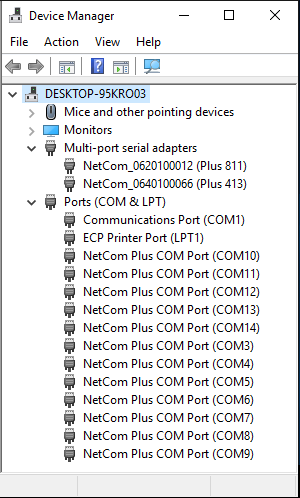
The driver for Windows operating system installs Virtual Com Ports. These operate in the same way as built-in ports, but via Ethernet or optional WLAN 802.11b/g/n. Easy-to-use Installation and Management software guides users trough the configuration.
High Speed Serial Ports, Low Power
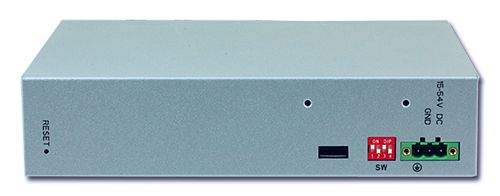
The serial ports allow data rates of up to 12Mbps in RS422/485 or 1000kbps in RS232 modes. The ports also allow every non-standard bitrate up to 3.5Mbps, and many more (e.g. 5Mbps). See FAQ. The USB 2.0 port supports USB-COM Plus modules, to add more standard or isolated serial ports. The USB port may also connect external WLAN. The gateways demand 6W of power or less. The flexible input allows for various sources of customers choice. This includes Power-over-Ethernet in POE-models.
Easy Configuration, versatile Operation Modes
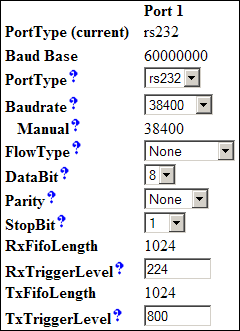
NetCom+ are configured over Driver Panels and WEB Browser. This is also possible via serial Port, Telnet or SNMP. NetCom+ provide Driver Mode, TCP/IP or UDP connection, and many operation modes beyond those.
Secure Remote Access for Monitoring
For NetCom Plus series there is a software option using the viaVPN Cloud system (www.viaVPN.com) to be remotely accessed and monitored over Internet. viaVPN provides secure and strongly encrypted access, without any reconfiguration of existing firewalls. The access to the firmware via Ethernet or WLAN is extended by viaVPN over Internet, protected by a VPN tunnel. If the Com ports are not occupied by local access, also remote operation over Internet is possible.
viaVPN technology provides easy and secure access to remotely installed NetCom Plus servers for their configuration or for connecting their virtual COM ports through Internet. With the viaVPN option the NetCom Plus servers are no more limited to only work inside of a local network.
Security
All communications use openVPN-tunnels encrypted by SSL/TLS and AES-256 standards.
Firewall friendly
No Reconfiguration of firewalls is required for viaVPN remote access.
This product uses open source software to fulfill part of its functions. Licenses for the open source software are granted under the GNU General Public License in various versions. For details about those see the information in the firmware download and visionsystems.de/opensource









 Click on the thumbnails to enlarge them …
