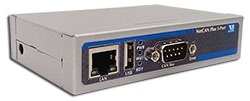
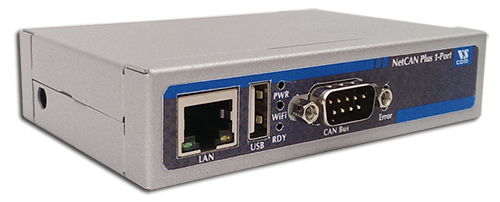
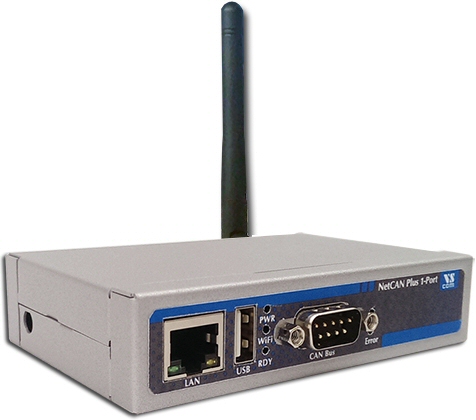
The NetCAN Plus series consists of smart Ethernet to CAN-Bus gateways, making the integration of CAN-Busses into existing Ethernet network topologies possible. Higher layer protocols, such as CANopen, can be assembled using the available development tools for complex automation control applications. Properties such as low power consumption (2W typical), an extended temperature range (−20C - +65°C), a wide power supply (9 - 54V DC) and a solid MTBF (17 Years at 45°C) make it an ideal system for industrial automation. The Wireless LAN also supports connections from PC to the NetCAN Plus without an existing Wifi network.
Operation Modes
NetCAN Plus series supports three operating modes: TCP Raw Server, CAN Bridge and Driver Mode. With the TCP Raw Server the communication is handled directly via IP address and port number. The CAN Bridge connects two CAN-Busses over an Ethernet/WLAN/VPN tunnel using two NetCAN Plus devices (read more …). The Driver Mode requires the installation of a virtual com-port driver, which makes the network fully transparent to the application.
Usage Options
NetCAN Plus provides various software tools to interface each level of the user applications:
The ASCII conversion protocol is handy in developing and testing any CAN-BUS configuration. Users simply connect directly via Telnet, and have a simple way to talk to the CAN controller. The device can also be used to manually transmit and receive CAN frames.
Applications programmed by users should use the VScan API library (DLL), which handles the communication and ASCII conversion for the CAN frames in a transparent manner. In their applications, programmers have to handle only the CAN frames and status information, without taking care of the ASCII conversion. The VScan API is supported in C/C++, C#, VB.NET, Delphi and LabVIEW. Under Linux SocketCAN can be used as alternative to VScan API. All VScom CAN devices support the standard Serial Line CAN (slcan) driver.
The NetCAN Plus series also supports CANFestival, an Open Source CANopen Framework. CANopen is a CAN-based higher layer protocol that is used in various application fields to unburden the developer from dealing with CAN-specific details. CANopen provides standardised communication objects for real-time data, configuration data as well as network management data.
The SAE J1939 protocol, resting upon the CAN hardware layer, is commonly used in the commercial vehicle area. A lot of other modern protocols are based on it, like NME200, ISOBUS, MilCAN or FMS. Vscom’s J1939 API also includes support for the so called Transport Protocol, which will bypass the limit of 8 data bytes per message. It's available on J1939-enabled devices. Supports Windows, Linux, .NET read more …
Secure Remote Access
For the NetCAN Plus series there is a software option using the viaVPN Cloud system (www.viaVPN.com), which can be remotely accessed and monitored over the Internet. viaVPN provides secure and strongly encrypted access, without the need for any reconfiguration of existing firewalls. In case a customer's firmware/application is accessible via Ethernet or Wifi — as for example via a web interface or Telnet/SSH connection — viaVPN extends the access over internet by a protected VPN tunnel. If the CAN-Bus port is not occupied by local access, also remote operation over Internet is possible.
Raw Data transfer over TCP/IP. Accepts multiple incoming connections.
CAN Bridge
CAN networks are connected via TCP/IP (WLAN or Ethernet). A client connects to a Server, CAN frames received on one network are repeated on the other network.
viaVPN technology provides easy and secure access to remotely installed NetCom Plus servers for their configuration or for connecting their virtual COM ports through Internet. With the viaVPN option the NetCom Plus servers are no more limited to only work inside of a local network.
Security
All communications use openVPN-tunnels encrypted by SSL/TLS and AES-256 standards.
Firewall friendly
No Reconfiguration of firewalls is required for viaVPN remote access.
This product uses open source software to fulfill part of its functions. Licenses for the open source software are granted under the GNU General Public License in various versions. For details about those see the information in the firmware download and visionsystems.de/opensource







 Click on the thumbnails to enlarge them …
